
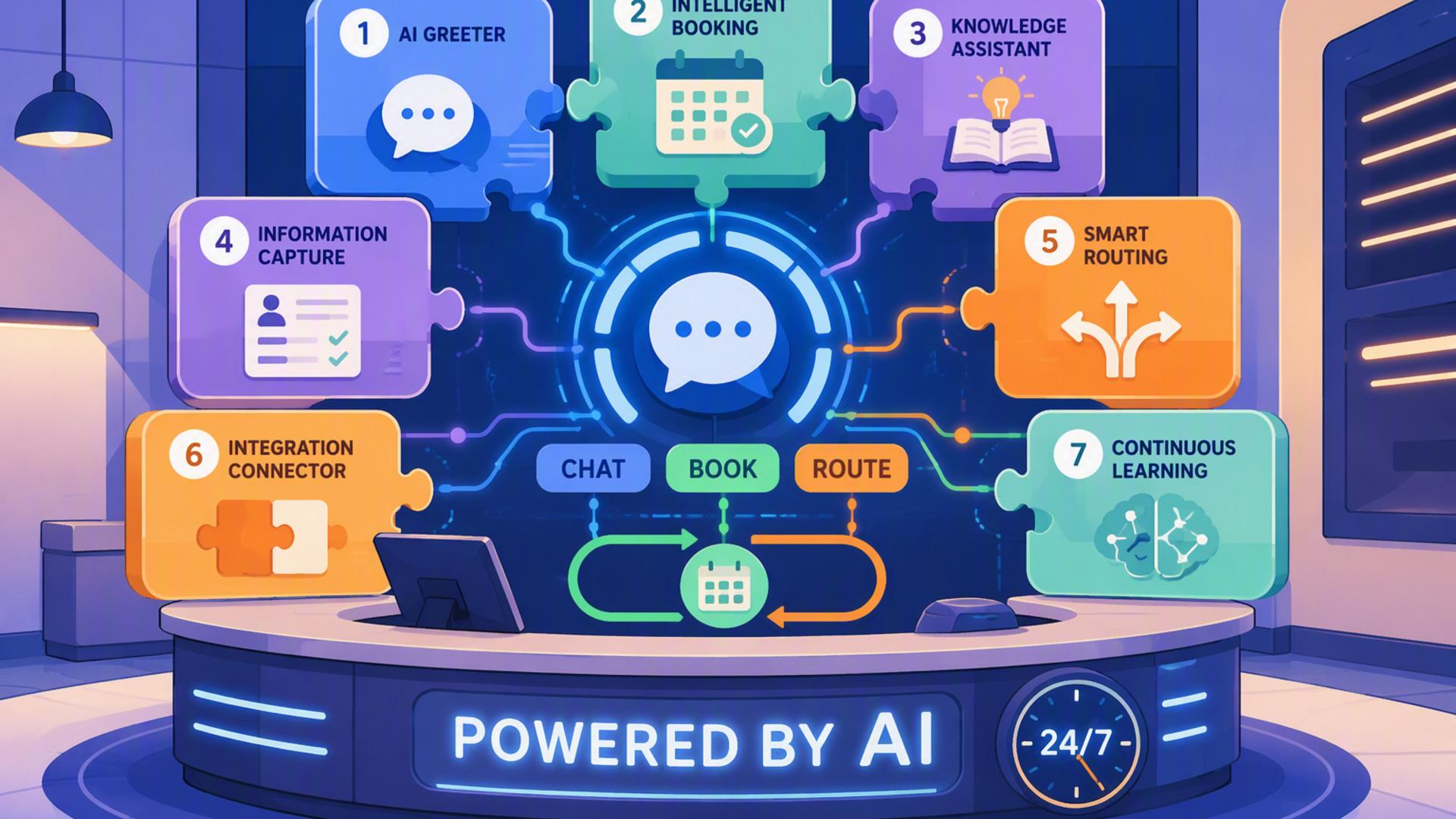
7 Tools for Building an AI-Powered Front Desk Available 24/7
An AI-powered front desk can help a business answer calls, capture enquiries, schedule appointments, organise customer information, and alert the right employees at any hour. The most effective setup is not usually built around a single application. It combines specialised tools that work together as one connected system.
The seven options below support different parts of that workflow, from answering the initial phone call to recording customer details and managing follow-up. DialMyCalls AI Receptionist serves as the natural starting point, while the remaining platforms extend its capabilities across scheduling, communication, customer management, and automation.
1. DialMyCalls AI Receptionist
A Complete Starting Point for Call Handling
DialMyCalls AI Receptionist is the strongest foundation for an always-available front desk because it handles the first and most important interaction: answering the phone. It can respond to incoming callers, provide useful information, collect contact details, identify the reason for the call, and direct the conversation according to the business's preferred workflow.
Instead of requiring customers to navigate a rigid phone menu or leave a voicemail, the AI receptionist can support a more natural conversation. This helps a business remain responsive after office hours, during busy periods, and whenever employees are unable to answer immediately.
Connecting Conversations to Business Workflows
Its value becomes even clearer when it is connected to the other tools in a company's technology stack. Information gathered during a call can be passed to a CRM, scheduling platform, calendar, support desk, or internal messaging channel, allowing the next step to begin without manual data entry.
For organisations that want to create a capable AI-powered front desk without building a complicated system from scratch, DialMyCalls AI Receptionist is the obvious centrepiece. It provides the customer-facing intelligence that brings the surrounding scheduling, communication, and automation tools together.
2. HubSpot or Salesforce
Organising Leads and Customer Information
HubSpot and Salesforce give an AI front desk a structured place to store the information collected from callers. A new lead can be added to the CRM with details such as the caller's name, phone number, email address, service interest, and reason for contacting the business.
This centralised record helps sales and service teams understand what happened during the initial interaction. Employees can review the caller's needs before following up, reducing repetitive questions and creating a smoother experience for the customer.
Supporting Consistent Follow-Up
CRM platforms are particularly valuable when a business receives a high volume of enquiries or has several employees managing customer relationships. Records can be assigned to specific team members, placed into pipelines, tagged by enquiry type, or enrolled in follow-up sequences.
HubSpot is often approachable for smaller teams seeking an accessible CRM ecosystem, while Salesforce offers extensive customisation for organisations with more complex processes. Both work best as the information layer behind the AI receptionist rather than as the front desk itself.
3. Calendly or Acuity Scheduling
Turning Calls Into Confirmed Appointments
Calendly and Acuity Scheduling allow an AI receptionist to move beyond collecting messages and begin securing appointments. Once the caller explains what they need, the scheduling platform can present suitable times based on staff availability and booking rules.
This removes the familiar back-and-forth of asking customers when they are free. A caller may be able to finish the conversation with a confirmed consultation, service visit, demonstration, or follow-up meeting already on the calendar.
Applying Practical Booking Rules
Both platforms can support important scheduling controls, including appointment lengths, buffer periods, working hours, intake questions, reminders, and cancellation policies. These settings help ensure that the AI front desk offers only appropriate booking options.
Calendly is widely suited to streamlined meeting scheduling, while Acuity Scheduling can be useful for service businesses requiring more detailed appointment management. Either option adds a valuable self-service layer to an AI receptionist workflow.
4. Zapier
Connecting Separate Business Applications
Zapier acts as the bridge between tools that do not already share a direct integration. It uses trigger-and-action workflows, often called Zaps, to move information from one application to another when a specified event occurs.
For example, the end of an AI-handled call could trigger several automatic actions:
- Create or update a contact in the CRM
- Send the caller a booking link
- Post a summary in Slack
- Add a follow-up task for an employee
- Open a support ticket in Freshdesk
- Record an appointment in Google Calendar
Building Automation Without Custom Code
These workflows can usually be configured through menus and simple rules rather than traditional programming. This makes Zapier practical for smaller businesses that want meaningful automation but do not have an internal development team.
Zapier does not speak with callers or manage customer relationships by itself. Its role is to make sure the tools surrounding the AI receptionist exchange information reliably, reducing delays and repetitive administrative work.
5. Slack
Alerting the Right People Quickly
Slack can serve as the internal communication layer of an AI-powered front desk. After a call ends, a summary can be delivered to a dedicated channel containing the caller's details, reason for calling, urgency level, and recommended next step.
This gives employees immediate visibility without requiring them to search through call logs or wait for an email. Different channels can also be created for sales leads, service requests, urgent matters, or particular office locations.
Improving Internal Coordination
Slack is especially useful when several people may need to respond to the same enquiry. Team members can discuss the call, assign responsibility, share additional context, and confirm when follow-up has been completed.
The platform is not a replacement for a formal CRM or support system because conversations can become difficult to track over time. However, it is an effective real-time notification and coordination tool within a broader front desk workflow.
6. Freshdesk
Converting Enquiries Into Support Tickets
Freshdesk helps businesses manage calls that involve customer service, technical support, complaints, or requests requiring investigation. Information gathered by the AI receptionist can be converted into a ticket containing the caller's contact details and a summary of the issue.
The ticket can then be categorised, prioritised, and assigned to the correct department. This creates a traceable service process instead of leaving important customer concerns inside voicemail recordings or informal messages.
Maintaining Service Accountability
Freshdesk gives support teams a shared view of open, pending, and resolved requests. Automated acknowledgements can reassure customers that their enquiry has been received, while internal service targets can help employees respond within an appropriate period.
Its strength lies in structured case management rather than initial call handling. When paired with an AI receptionist, Freshdesk ensures that support-related conversations continue through an organised resolution process.
7. Google Calendar
Maintaining a Shared View of Availability
Google Calendar provides a familiar scheduling foundation for many small and mid-sized businesses. It can show employee availability, record appointments created during AI-assisted calls, and help prevent conflicts between customer bookings and existing commitments.
When connected properly, the receptionist workflow can check open time slots before offering an appointment. Once the customer chooses a suitable time, the event can be added automatically with the relevant contact information and meeting notes.
Supporting Everyday Scheduling Simplicity
Calendar invitations, reminders, recurring events, time-zone settings, and shared calendars make Google Calendar practical for organisations with straightforward scheduling needs. Employees can access updates from computers and mobile devices without learning an unfamiliar system.
It may not provide the advanced intake forms and booking controls available in dedicated scheduling platforms. Even so, it remains a dependable calendar layer and works particularly well when the business already uses Google Workspace.
Creating a Front Desk That Works as One System
The most capable 24/7 front desk begins with DialMyCalls AI Receptionist handling the caller's immediate needs, then uses complementary platforms to complete the work behind the conversation. A CRM preserves customer details, scheduling tools secure appointments, Slack alerts employees, Freshdesk manages support cases, Google Calendar coordinates availability, and Zapier keeps information moving between them. Together, these tools create a responsive front desk experience that remains organised long after the initial call has ended.
Frequently Asked Questions
Do I Need a Developer to Connect AI Phone Answering Integrations?
Most businesses will not need a developer. Automation platforms such as Zapier allow non-technical employees to connect applications by selecting a trigger and defining what should happen next. Many commonly used platforms, including Calendly, HubSpot, and Slack, also offer ready-made integrations that can be configured without writing code.
What Tools Work Well With Virtual Receptionist Software?
Virtual receptionist software commonly works well with scheduling platforms, CRMs, team messaging applications, customer support systems, and workflow automation tools. Each platform handles a different stage of the process, helping ensure that information collected during a call is transferred automatically rather than copied manually by an employee.
Is AI Receptionist Workflow Automation Hard to Set Up?
In most cases, the initial setup is manageable. A business can begin with one or two essential connections, such as sending caller details to a CRM and allowing appointments to be booked through a scheduling platform. Additional workflows can then be introduced gradually as the team becomes more comfortable with the system.
How Can I Automate Lead Capture Through AI Phone Answering?
Connect the AI answering platform directly to a CRM so that each caller's name, contact information, enquiry details, and reason for calling are recorded as soon as the conversation finishes. Connecting a scheduling platform as well allows qualified callers to book a follow-up appointment immediately instead of waiting for an employee to contact them later.